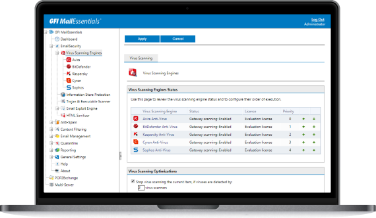





Scan downloaded files with multiple anti-virus enginesGFI WebMonitor uses multiple virus scanners to scan files that are being downloaded. Using multiple scanners drastically reduces the average time to obtain virus signatures which combat the latest threats, and therefore greatly reduces the chances of an infection. The reason for this is that a single anti-virus company can never ALWAYS be the quickest to respond. For each outbreak, virus companies have varying response times to a virus, depending on where the virus was discovered, etc. By using multiple virus engines, you have a much better chance of having at least one of your virus engines up-to-date and able to protect against the latest virus. In addition, since each engine has its own heuristics and methods, one virus engine is likely to be better at detecting a particular virus and its variants, while another virus engine would be stronger at detecting a different virus. Overall, more virus engines means better protection. View screenshot. Anti-virus protection through Norman Virus Control and BitDefenderGFI WebMonitor is bundled with Norman Virus Control and BitDefender. Norman Virus Control is an industrial strength virus engine that has received the 100% Virus Bulletin award 19 times running. It also has ICSA and Checkmark certification. BitDefender is a very fast and flexible virus engine that excels in the number of formats it can recognize and scan. BitDefender is ICSA certified and has won the 100% Virus Bulletin award and countless awards for its flawless protection. GFI WebMonitor automatically checks and updates the Norman Virus Control and BitDefender definition files as they become available. The GFI WebMonitor price includes updates for one year. Malware (trojans, spyware, etc) blocking via Kaspersky – optionalTo achieve even greater security and benefit from scanning via multiple virus engines, users can add the Kaspersky SuperSecure anti-virus engine, available as an optional add-on. The Kaspersky SuperSecure database includes support for the detection of malicious software that can perform remote administration, keyboard espionage, password detection, automatic dial-up to paid sites, automatic downloads of files containing explicit materials and more. GFI WebMonitor automatically checks and updates the Kaspersky definition files as they become available. Read more about the benefits of Kaspersky SuperSecure database option! Protect against socially engineered phishing websitesPhishing is a social engineering technique that is maliciously used by hackers to acquire information such as usernames, passwords and credit card details by leading users to believe that they are passing on these details to the genuine company. Online shopping and credit card companies are amongst the most targeted phishing websites. GFI WebMonitor protects users from the potential risks of social engineering by blocking access to phishing websites. This is done through the use of an auto-updatable database of phishing URLs. View screenshot. Control which file types users can downloadYou can create multiple user/group/IP based download control policies in order to block particular file types (such as Javascript, MP3, MPEG, exe, and more) from being downloaded by particular users. Dangerous files (such as trojan downloader programs) often attempt to penetrate a system masked as an innocuous files. GFI WebMonitor uses its built-in file signature scanner to analyze and detect the REAL filetype signatures of downloaded HTTP/FTP files. |