




GFI
English Deutsch Français Italiano Nederlands Español
Products > GFI MailArchiver for Exchange > Features  Print this page  |  Datasheet

 Features for the administrator

Integration with Exchange and other email servers

GFI MailArchiver leverages the journaling feature of Exchange Server, providing unparalleled scalability and reliability. Other email archiving solutions actually replace the email with a link to their database – this can be a point of failure and can bring down your entire email system. GFI MailArchiver works in parallel and does not touch the way Exchange works. GFI MailArchiver can be used with Exchange as well as other email servers with the capability of polling emails from a mail server which supports IMAP and Active Directory. View screenshot.

Automatically archive corporate email into one storage area

Your mail server is not the ideal place to store all organizational email: Over time this will cause a severe decline in email performance. Moving old emails into a database will keep your mail server performance high and email stores compact. You may archive your email in:

  • A SQL database: Because email is stored in a standard SQL database, it is easy to backup and restore; no special Exchange backup tools are required. This setup is strongly recommended for high email volume environments.
  • Directly to an NTFS hard drive: You may store email in a database that is located on an NTFS-formatted hard drive, saving you the license costs of Microsoft SQL Server! This setup is suitable for low email volume environments and for small enterprises intending to save on license costs of Microsoft SQL Server. View screenshot.

Multiple database support and ‘automatic’ database management support

It is possible to archive emails in multiple databases – this overrides the problem of having one large database that becomes slow and requires more maintenance. GFI MailArchiver allows you to automatically archive emails to a new database after a specified time, for example, every month or quarter. View screenshot.

Reduce email storage requirements

GFI MailArchiver compresses and decompresses attachments on the fly, which results in considerable savings in terms of storage when compared to storing attachments in the Exchange stores. In addition, storing email in a database is more space efficient than storing in PST files. An added advantage is that GFI MailArchiver archives only one copy of attachments sent to multiple recipients.

End PST hell

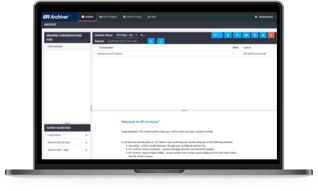
Using GFI MailArchiver for Exchange eliminates the need for users to archive their mail in PST files on local hard disks. These PST files end up being very large and are difficult to backup and search. Many users do not know how to organize their PST files properly. With GFI MailArchiver, users can browse to the web search interface and retrieve past email from the database, rather than having to dig through a store of PST files on disk to find a particular email. View screenshot.

Migrate old PST files stored on client machines

Through GFI MailArchiver's agent-based PST Exporter, you can archive emails processed by Microsoft Exchange prior to the installation of GFI MailArchiver. The GFI PST Exporter uses the GFI MailArchiver Import Service to transfer emails to an archive store without any end-user intervention. Agents save extracted emails in a destination folder and the GFI MailArchiver Import Service then imports the extracted emails into a GFI MailArchiver archive store.

Set up email retention and categorization policies

Setting up an email retention policy is critical and while email archiving is essential, retaining emails for an indefinite time is costly! With GFI MailArchiver you can create rules to delete one or more emails after a specific time, for example, you can delete all emails sent by the Marketing Department that are older than 7 years. In addition, GFI MailArchiver can help you to categorize emails by adding a label to the emails that meet a particular condition. For example, emails sent from the CEO, could be automatically labelled with [CEO]. View screenshot.

Helps comply with Sarbanes-Oxley Act

By archiving all company email, GFI MailArchiver helps organizations to meet regulatory compliance such as the Sarbanes-Oxley Act. Under the Sarbanes-Oxley Act 2002 and Security and Exchange Commission (SEC) rules, public companies must prove that their internal controls and audit trails are sound and that their processes are capable of producing certifiably correct data. Companies must retain all correspondence created, sent, or received "in connection with an audit or review" of a public company for a period of seven years, during which time these records must be non-erasable and non-rewritable. This includes any "electronic records" such as email, particularly relating to subjects, departments or individuals involved in auditing procedures. Failure to comply is a crime, punishable by up to 10 years in jail.

Helps to comply to other acts and regulations

GFI MailArchiver is also a valuable tool that aids compliance with the following: E-Comm Act 2000, BS7799-2:2002, Enterprise Act 2002, Decreto del Presidente del Consiglio dei Ministri (8 febbraio 1999) and more.

Give viewing rights and exempt users from archiving email

GFI MailArchiver allows you to grant a user viewing rights to all email relating to a specific Active Directory Group, for example, the Sales Manager would be able to view all emails sent or received by his team. Also, if required, you can instruct GFI MailArchiver for Exchange not to archive email to/from particular users, for instance it is possible not to archive emails sent to/from the HR Manager. View screenshot.

Collect and archive emails in one geographical location

GFI MailArchiver provides the possibility of centralizing email archiving to one physical location by polling emails from multiple locations. For example, an organization that operates in the US, UK and Australia may want to archive email of all offices centrally in one location – the US office. View screenshot.

Audit your archived email to ensure they have not been tampered

GFI MailArchiver ships with auditing functionality that ensures all archived emails have not been tampered with. This is particularly important in industries and countries where regulations require organizations to monitor user activity and keep audit trails of such activity. GFI MailArchiver offers two types of auditing:

  • Database activity auditing: Uses the tracing capabilities of Microsoft SQL Server to record all activity affecting the GFI MailArchiver archive databases.
  • User interaction auditing: Record all users’ activity whilst they are using the GFI MailArchiver web interface to browse email archive stores.

 Features for the user

Access emails from any location through a browser

GFI MailArchiver allows users to access their emails from anywhere in the world by using a browser. Emails that had been deleted may also be seen (and restored).

Advanced email search and 'Saved Search' capabilities

Having a central store of email enables users to easily search through their past email and attachments (Microsoft Word, Excel, PDF, ZIP and many other formats). Once a search has been defined, the user has the possibility to save the search criteria for easy reference at a later date, similar to Microsoft Outlook Search Folders. For example, you may save a search that displays all email correspondence with client X. View screenshot.

OneClick Restore a single email to a mailbox

By simply clicking on a button, the user or the administrator can restore an email to a user’s inbox in its original format. GFI MailArchiver restores any archived email (even deleted email) and these are resent to the user as an attachment. View screenshot.

Support for multilingual user interfaces

GFI MailArchiver provides support for multilingual user interfaces including English, Dutch, French, German, Italian, Russian, Spanish, Czech, Arabic, Japanese, Simplified Chinese and Traditional Chinese. View screenshot.

Other features:

  • Printer-friendly support for printing emails

You're in good company...

Many leading companies have chosen GFI MailArchiver. Here are just a few: American International Movers, Inc, Autoflug GmbH (Germany), eCourier (UK) and many more. Customer list and customers testimonials.

System requirements

Windows 2000 (Service Pack 3 or higher) or Windows 2003
Access to Microsoft Exchange Server 2000 or later
Microsoft .NET Framework 2.0
Internet Information Services (IIS) – World Wide Web service.
 

For more detailed system requirements, please see the installation chapter.


 Quick Links
>   View screenshots
>   What is the Sarbanes-Oxley Act (SOX)?
>   What are the legal requirements for email archiving?
>   GFI MailArchiver named 2005 Readers’ Choice Award Winner by Windows IT Pro
>   What's new in GFI MailArchiver 5?
>   View installation instructions & system requirements
>   More frequently asked questions


 Screenshots

Archive stores management

Archive stores management


Auditing reports

Auditing reports


Auditing database activity – auditing settings

Auditing database activity – auditing settings


Archiving and user exclude options

Archiving and user exclude options


Auditing data-integrity – Report

Auditing data-integrity – Report


Mail server to archive wizard

Mail server to archive wizard


PSTExporter report

PSTExporter report


Auditing user-interaction auditing settings

Auditing user-interaction auditing settings


   © 2008. All rights reserved. GFI Software Home Products Download trials Support Ordering Site map About us Contact us
GFI solutions: anti spam - exchange anti virus - isa server - network vulnerability scanner - event log management - USB security software - exchange archiving - fax server software