




Web security and Internet usage monitoring software
Improve productivity: Manage employee Internet usage
Reduce security risk: Block malicious websites and downloads
Maximize bandwidth
Improve productivity: Manage employee Internet usage
Reduce security risk: Block malicious websites and downloads
Maximize bandwidth
GFI WebMonitor is available in three editions:
The features below are available in all editions. Features available exclusively in a particular edition are listed further down on this page.
![]()
Company laptops should be used appropriately. GFI WebMonitor allows filtering policies to be applied even beyond the corporate network.
With GFI WebMonitor’s Social Controls feature, you can block Facebook apps and games and other social networking site functions, allowing you to control productivity without completely blocking the site.
Monitoring what users are searching for in major search engines (Google, Bing, Yahoo!) helps you identify potential issues such as employees making frequent use of job-related searches or researching bomb-making, terrorism and other suspicious activity.
Carefully monitoring search engine terms can even provide a good indication of the general mood of the organization.
With GFI WebMonitor, an administrator can define policies based on surf time.
For example, the administrator can allow users to browse news and social networking sites for not more than one hour per day. When users exceed their time allowance threshold, a notification page is displayed informing them that their allowed browsing time has been used up. Such policies can be defined for specific websites or entire categories of websites.
The administrator can also define policies based on bandwidth thresholds.
For example, the administrator can allow users to download a maximum of 100 MB per day from video sharing and online file storage websites such as YouTube or MegaUpload. When users exceed their bandwidth threshold, a notification page is displayed informing them that their bandwidth quota for the defined period has been reached. These policies, too, can be defined for specific websites or entire categories of websites.
GFI WebMonitor allows you to define web browsing policies to restrict access to particular categories of websites,and set time or bandwidth thresholds of your choice, on a per user or per IP basis.
Its WebGrade database offers coverage of over 280 million domains and extensive URL coverage across more than 30 languages, with additional websites being added continually. Due to the constantly changing nature of the web, GFI WebMonitor also queries GFI servers for the categorization of URLs that are not found in the local cached database. If a URL is found to be uncategorized, it is processed by the server and added to the database. Click here to learn about the URL classification process for the GFI WebMonitor WebGrade database.
With GFI WebMonitor it is possible to mandate SafeSearch on search engines.
This option is normally customizable at the user level, i.e., the user can disable it; however, by enabling this feature, the personal option will be overridden so that the one mandated by GFI WebMonitor is used instead. This feature is particularly useful in educational institutions where objectionable material should never make it to the user’s browser through search engine result pages.
Apart from a generic blacklist/whitelist, the administrator can also define site exceptions for each particular policy.
A typical example will be to block all news sites except www.cnn.com.
Without the ability to exercise some form of management over what your users are browsing, you leave yourself open to legal liability in a variety of ways.
Provide your employees with safe, well managed access to the Internet while on your premises and you will safeguard your company, your employees and your bottom line.
Waiting for a website to be classified as dangerous can be a risky game to play.
Proactive protection from Internet threats can save you from being infected and therefore from potentially devastating consequences.
GFI WebMonitor provides reputation-based filtering, which uses the reputation score of a website or IP address to predict the security risk involved in visiting that website. A website’s reputation is calculated from hundreds of metrics that include infection history, age of establishment, site popularity, site content and many others; a score is then awarded from one (high risk) to 100 (trustworthy).
Website reputation-based filtering adds a proactive layer of security as well as enabling flexible Internet access policies. For example,GFI WebMonitor allows you to enable access to "Shopping" websites while simultaneously providing protection by blocking access to low-reputation shopping sites.
As audio and video streaming has become an integral part of many websites, GFI WebMonitor now allows you to save bandwidth by blocking streaming media.
Audio and video content are a routine feature on news, entertainment and sports and this can quickly create a network bottleneck especially in peak times or during events of interest.
Policies to block streaming media enable you to allow access to the sites which are providing the media while blocking access to the actual stream, ensuring that a healthy medium is reached.
Specific streaming via media applications such as iTunes, Winamp, Quicktime, Windows Media Player can also be blocked.
This feature includes an auto-update engine to be able to distribute new signatures as they are discovered.
Allow trusted users to override blocking after warning them that a URL is in breach of company policy; putting into practice the concept of self-policing.
View an exact trail of what a user has done, including the time when a specific website was visited. This log offers an option to view a listing of sites/pages which have been accessed together with the time and date of when they were accessed.
Policies are flexible and allow you to either define generic blocks or to specify more refined rules for particular groups of people.
Exceptions can be easily catered for too; GFI WebMonitor has a generic blocklist/whitelist, whilst also allowing specific site exceptions (always block/always deny) for each particular policy. An example would be to block all news sites except www.cnn.com, for instance.
Create multiple user/group/IP-based download control policies to reflect your organization’s security policies, blocking the download of particular potentially malicious file types (such as exe, msi and more) for particular users, groups or IP addresses. You can also limit file types which could have legal implications for your business (such as MP3 or MPEG files).
Dangerous files, like Trojan downloader programs, often attempt to penetrate a system masked as an innocuous file. GFI WebMonitor analyzes and detects the real file types and acts accordingly.
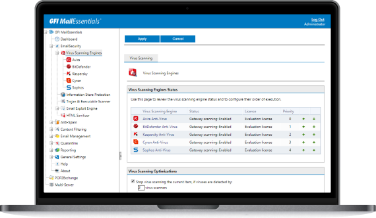
GFI WebMonitor uses multiple virus scanners to protect you against inadvertently downloading malicious files.
![]()
Using multiple scanners reduces the average time taken to obtain the latest virus signatures, greatly reducing the risk to your site by each new virus. Also, since each engine has its own heuristics and methods, each brings its own unique strength in detecting and correcting for the ever-increasing variety of viruses. Overall, more antivirus engines mean more virus protection. GFI WebMonitor is bundled with the VIPRE and BitDefender antivirus engines. It automatically checks and updates the VIPRE and BitDefender definition files as they become available. The GFI WebMonitor price includes updates for one year.
To achieve greater security and enhance the benefits gained by scanning via multiple antivirus engines, users can add the Kaspersky SuperSecure antivirus engine, available as an optional add-on. The Kaspersky SuperSecure database includes support for the detection of malicious software that can perform remote administration, key logging, password detection, automatic dial-up to paid sites, and more. GFI WebMonitor automatically checks and updates the Kaspersky definition files as they become available.
Phishing is a social engineering technique that is used by malicious hackers to acquire personal information such as usernames, passwords and credit card details.
These sites are designed to lead users to believe that they are passing on their details to a genuine company. Online shopping and credit card companies are among the most targeted phishing websites. GFI WebMonitor protects users from the potential risks of social engineering by blocking access to phishing websites. This is done through the use of an auto-updatable database of phishing URLs.
Block IM clients, including Live Messenger(MSN), FaceBook Chat, GTalk/Gmail Chat, Yahoo! Messenger, and thin instant messaging portals which are used to circumvent IM blocking policies. This feature includes an auto-update engine to be able to distribute new signatures as soon as they are discovered.
GFI WebMonitor is also available as a dedicated plug-in for Microsoft’s Internet Security and Acceleration (ISA) Server and Threat Management Gateway Server (TMG).
GFI WebMonitor seamlessly integrates with ISA/TMG, complementing the powerful firewalling features while giving IT Administrators the ability to get a much clearer picture of what type of traffic is being filtered, what type of Internet requests are being sent to the server and the ability to apply policies and rules based on IP, user or groups.
GFI WebMonitor provides the ability to proactively block websites serving malware, phishing, rogue software, exploits or other malicious content.
Malware attacks are most effective in the first eight hours of being launched. GFI WebMonitor therefore uses a "Known Bad Websites" list - powered by ThreatTrack - that is updated every hour to ensure that even the latest zero-hour threat is immediately blocked. In order to avoid the permanent labelling of a legitimate website which has been temporarily compromised, websites are revisited often and are automatically phased out of the list when they no longer pose a threat.
ThreatTrack is powered by GFI Sandbox™, our automated malware analysis tool
GFI WebMonitor data is useful to several stakeholders such as people in IT, HR and Management. With role-based access you can grant access to users to selective dashboards and reports, while limiting the visible data as necessary.
Spot any security problems as they are happening and before it is too late. The security dashboard gives you full visibility into results of virus detections, hits to malicious or phishing websites and other security issues.
With GFI WebMonitor you can receive alerts when specific issues occur. Its alerting features are very flexible and you can set them up based on your choice of triggers.
You can, for example, set GFI WebMonitor to automatically notify the IT administrator when somebody is hogging bandwidth; notify HR management if somebody is browsing job-search websites; or to notify a particular manager if somebody in their team is spending too much time on websites which are in the productivity-loss category.
The dashboards and analytical pages allow you to immediately identify problems as they happen: whether it is a specific user who is leading the Top Browser list again, a category which is causing too much productivity loss, a website which is draining all your bandwidth, or a user who is always browsing malicious or potentially malicious websites.
To offer the ability to drill down to the necessary information easily, GFI WebMonitor’s ‘Smart Dashboards’ allow interactive filtering based on categories, websites and users. In addition, on-screen sorting of the data is available on the fly.
GFI WebMonitor allows you to use an installation of SQL Server or SQL Server Express as its logging database.
Although this is not a requirement, using a new or existing installation of SQL Server or SQL Server Express (which is free) provides improved performance for installations where high volumes of data are generated and retrieved.
GFI WebMonitor is configured through a web UI which allows you to access it remotely. To control access, IT administrators can select which users can access the program’s configuration and monitoring interfaces.
Access rights can be assigned based either on the IP of the computer or the domain-authenticated username. Access will only be granted to users in GFI WebMonitor’s authorized users or IP list.
Administrators can see what websites users are currently browsing and what files are being downloaded.
An active connection, browsing session or download can easily be blocked, simply by clicking the block connection icon. This proves very useful if you need to interrupt the unauthorized download of an oversize file.
GFI WebMonitor issues detailed reports on all user access and blocked access by users, by sites, by categories.
Users can drill down attain the required information, whilst interactive sorting allows administrators to quickly determine information such as Top Surfers, Top Downloaders, Top Uploaders, Top Policy Breakers, Top Sites Visited, Top Blocked users. This allows administrators to easily see who is breaching the company's Internet Usage Policy.
Other information includes browsing restricted sites, downloading of malware infected files or file types that are blocked through download control policies.
GFI WebMonitor can be configured to display a download progress window while a file is being downloaded and scanned.
The file can then be obtained by clicking the ‘Save’ button in the download progress window. Some pieces of malware rely on the ability to download further files from the web to complete their infection of a computer. Not being aware of the GFI WebMonitor download progress window and not being able to get past it, such pieces of malware are blocked in their tracks. Download progress windows for which the file is not retrieved can be monitored so as to identify infections with such malicious applications performing “hidden downloads” – which can include Trojans, spyware and others.
Any URL or user or IP can be added permanently or temporarily to the whitelist or blacklist which will supersede all web filtering and web security policies.
For example, you could temporarily grant access to a particular user for his or her personal webmail account for a specified period of time, say over employee lunch breaks.
GFI WebMonitor implements caching, such that files and other objects/resources are delivered to the end-user from a cache on the GFI WebMonitor machine when possible, thus improving performance and reducing bandwidth consumption.
GFI WebMonitor can decrypt SSL-encrypted web traffic, scan its contents for malware, and re-encrypt it. This stops users from bypassing your blocking policies by accessing sites over HTTPS.
This extends the granularity of filtering and control offered by GFI WebMonitor through filtering, download control and virus scanning policies to such encrypted traffic.
In some countries, notably Italy and Germany, the law requires that any personally identifiable information is not easily available, and should be revealed only under certain circumstances (e.g., investigation by relevant authorities).
GFI WebMonitor helps comply with this law – there is an option to enable anonymization of personal data, which makes all personal data in reports visible only by using the four-eye principle (which requires at least two people to witness/approve a certain activity).
Organizations that are currently using or plan to use virtualization on their network can still install and use a range of GFI products with confidence.
GFI WebMonitor supports and runs on the most common virtualization technologies in use, namely VMware, Microsoft Virtual Server and Microsoft Hyper-V.
Leading companies all over the world have chosen GFI WebMonitor.
Click here to view case Studies and testimonials
GFI WebMonitor places second in the content security category of the ISAserver.org Readers’ Choice Awards. - ISAserver.org, December 2012
GFI WebMonitor places first in the ISA Monitoring ...
GFI WebMonitor places first in the ISA Monitoring and Administration category of the ISAserver.org Readers' Choice Awards. - ISAserver.org, October 2012
GFI WebMonitor for ISA/TMG places 2nd runner-up in the antivirus category of the ISAserver.org Readers’ Choice Awards. - ISAserver.org, June 2012
GFI WebMonitor for ISA/TMG places first in the access control category of the ISAserver.org Readers’ Choice Awards. - ISAserver.org, April, 2012
GFI WebMonitor 2011 adds some useful new features and provides easily managed web security with multiple virus scanning engines and detailed reporting. Easy installation, policy-based web access and internet bandwidth controls, triple anti-virus scanning engines, excellent free reporting package - SC Magazine
Businesses and educational establishments that want quality web content management and monitoring, but don’t want to pay a premium for an appliance, should consider GFI’s WebMonitor. - IT Pro
GFI WebMonitor is the most mature and feature rich monitoring/web security program I have seen to date. I was very impressed with this product and highly recommend it - Cyber Arms
GFI WebMonitor 2011 has all the necessary features to allow business better control internet access, track and log information. Therefore, GFI WebMonitor 2011 will get 5 stars from us. - ITKnowledge24.com
GFI WebMonitor for ISA/TMG places second runner-up...
GFI WebMonitor for ISA/TMG places second runner-up in the antivirus category of the ISAserver.org Readers’ Choice Awards.
ISAserver.org - June, 2011
SC Magazine tries out GFI WebMonitor awarding it an overall 5-star score and considers it to be a "Nice feature set with many configurable options. Definitely worth looking at if you can afford the overall cost of supporting hardware." - SC Magazine